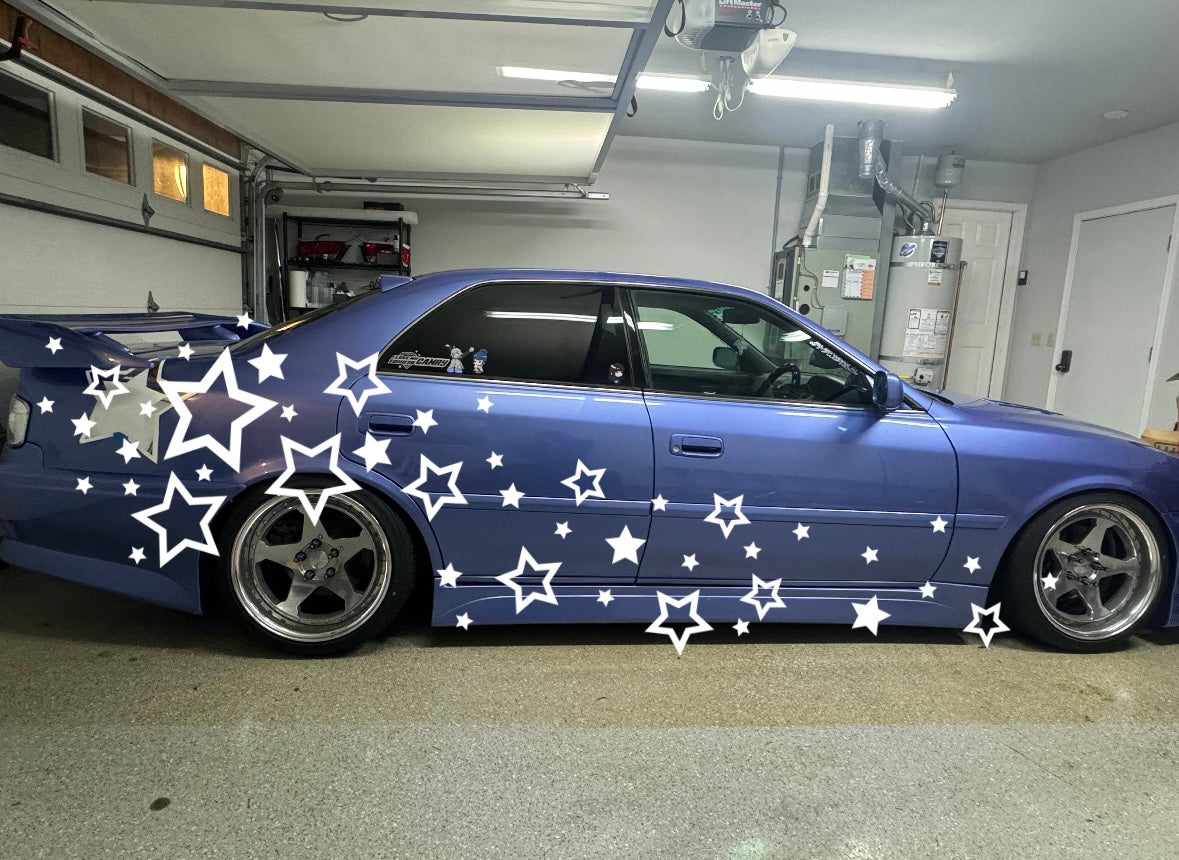
LIVERY KIT INSTALL INSTRUCTIONS/TIPS

The following instructions/tips apply to any livery kit or large vinyl graphics.

Professional install is recommended!
If you are a beginner, please ask a friend for help and inform yourself by researching large vinyl application (and reading this page) prior to installing.

The most important thing for a successful install is PATIENCE. You should account for 2-3 hours of prep time and 3-6 hours for the actual install. Having a helping hand to hold up complex pieces during install is also very important. If you are DIY-ing as a beginner, expect a learning curve and keep in mind that mistakes are likely to happen.

Things You Will Need:

Isopropyl alcohol (~70%) or "rubbing alcohol" (for use as cleaning solution)

Microfiber cloth to clean the surface with alcohol

Vinyl install squeegee - a credit card covered by a microfiber can work

Painters/masking tape

A utility knife or razor blade (x-acto knive is not recommended!), or knifeless tape. 
Here is a knife on amazon that we like and recommend all the time.

Transfer tape (optional) - Transfer tape is not strictly required to install anything. I only suggest using it if you are a beginner installer, and installing a pinstripe. RTape and TransferRite are brands I'd recommend, in medium or high tack. There are a lot of pros and cons to using transfer tape- if you are going to use it, make sure to purchase enough to practice with as it's easy to mess up the application.

Notes on Install Environment

Avoid installing outside during any wind, rain, or severe cold.

The best installation environment will be room temperature, dry and bright, ideally in a garage. You'll want to have enough room around the car/bike to step back and take a picture of the entire side of the car/bike.

Kit Prep

Before anything else, you should cut all the pieces of your kit out from the vinyl backing- this is what the dotted lines are for. Separate them for each side of the car or bike.

You should cut relatively close to the edges of the vinyl, but it doesn't need to be perfect. You also don't need to cut out the inside area of shapes, just the outside.

Surface Prep

Start with a washed, dry surface. You can just wipe the surface down but avoid oily detail sprays. You should probably just avoid detail sprays altogether. The best surface for installing vinyl on is a very clean, very dry one. Make sure the EDGES of the panels are clean too. If you skip the panel edges, the vinyl won't stick there and it will peel up.

With isopropyl alcohol and a microfiber cloth, go over the panels paying close attention to the panel edges. Make sure to do this step right before your tape mockup/install.

How to Make Your Own Digital Mockup

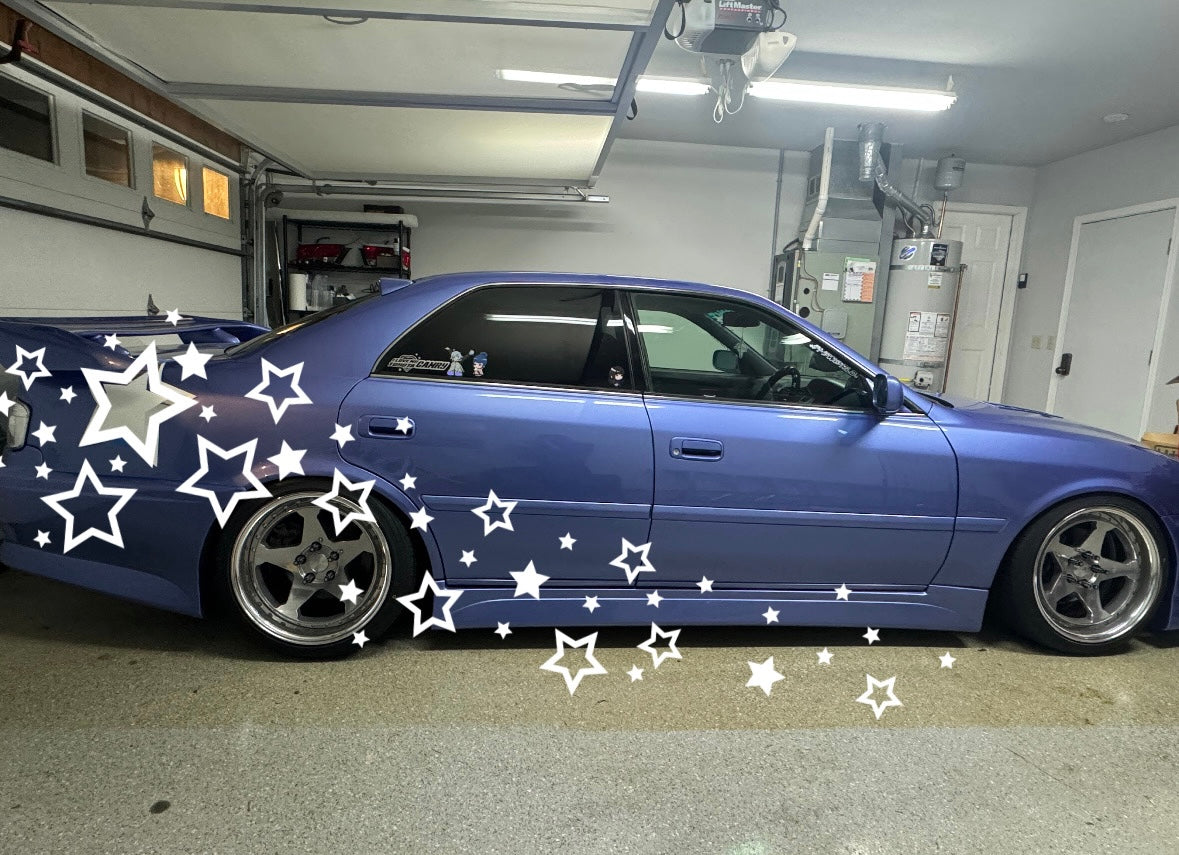
Every car will be a little bit different, so the example layout for the livery kit purchased may not be the exact same one you'll end up with. If you'd like, you can use one of the provided kit mockup templates to mockup how it will look on your car. 

The easiest way to do this is to ask a friend who knows how to use Photoshop or art software for help :D However, you can do it yourself with a mobile app like Instagram or CapCut.

Note: Digital mockup files are not available for pinstripes or bike livery kits. Pinstripes come in one piece, and should be taped onto the car rather than digitally mocked up. Bike livery kits are not one-placement-fits-all and require creative placement for every model, so we can only provide example placements which are in the product page.

Digital Mockup Step 1

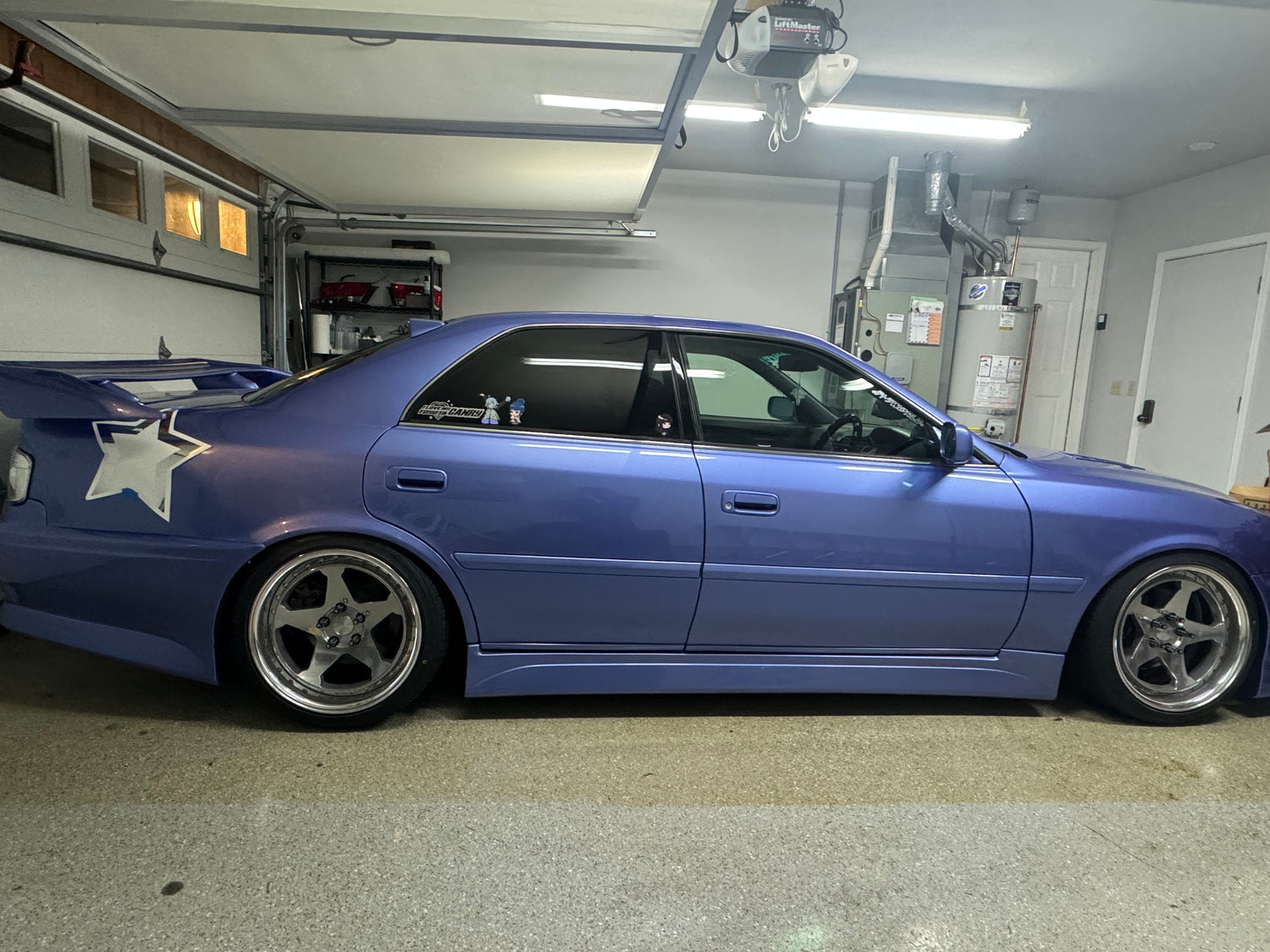
Using painters/masking tape, place a big piece of the livery kit on the car where you think it might look good. Take a picture of it, as direct from the side as possible. It doesn't have to be perfect, but the better picture you take the more accurate your mockup will be.

Digital Mockup Step 2

Download the mockup PNG for your kit from this google drive folder

By accessing the above Google Drive link, you agree not to share, modify, redistribute, or utilize these provided mockup files in any way other than for your own personal livery kit mockup.

I work very hard on these designs and am risking them being easily stolen by providing them for mockups.

Please be respectful <3

Digital Mockup Step 3

In Instagram, you can choose the picture you took as a story and paste in the mockup PNG. To do so, go to your photo library, options->copy the photo, then back to Instagram and add text. Instead of writing anything, use the paste command. In CapCut, you'd use the overlay option to do the same thing. If you have a computer, but don't have access to photoshop, you can try Pixlr, a free online photo editing app similar to photoshop. Despite all the free trial buttons, the Express version is completely free and no subscription or sign up is required.

Line up the mockup PNG with the livery piece you taped onto your car. This makes it so that the mockup PNG reflects the actual real life size of the kit pieces.

Digital Mockup Step 4

Now that the size of the mockup PNG matches the size of the livery kit in real life, you can move it and rotate it until most of the pieces are placed in a good spot. Just be careful not to make the PNG any bigger or smaller, because then the mockup image size won't match real life. 

You should now have a pretty good reference to look at while you're installing the kit-- We like to use a digital mockup to place all the pieces on the car with tape before actually sticking anything on.

The digital mockup may not fit perfectly depending on what car you're installing the kit on, so use your best judgement as you go to move pieces around in a way that flows well. And have fun with it! 

General Install Tips

Cut out all the pieces of the kit, and peel the excess from them before trying to install. Once you've cut the pieces out, you can immediately peel the excess vinyl surrounding the actual cutouts or wait until you're about to install to ensure that you don't pick any dirt or lint up on the edges. When cutting, minimizing excess space around the vinyl pieces makes the band-aid method much easier (this method is described further down the page). It also makes your tape mockup more accurate.

Be careful! Vinyl is very delicate. Be super careful when peeling pieces of vinyl off the backing sheet. If you are not careful, it will rip.

Start with the biggest pieces first and work your way to the smallest. The biggest pieces of the kit are the hardest to install, but their placements determine the rest of the kit layout. For example: If you can make one giant star decal look somewhat good, it can only look better as you add the smaller stars around it.

Use one side as a mockup for the other. After finishing one side of the car/bike, you can take a picture of it and then horizontally flip the picture in your photo app. This will give you a perfect reference of how to install the kit on the other side.

Place pieces partially off panel edges. To make the livery kit really look good, you'll want some pieces to be placed partially off the edges of panels- they'll need to be cut along the panel edge. When this isn't done, it has more of a sticker-bomb look. It flows much better if pieces are partially off edges (I promise!).

Use a utility knife. Or a razor blade. X-acto knives are not recommended because the round handle makes it really difficult to control and the blades are quite thin leading to jagged and messy edges (just trust me on this one alright? I promise the x-acto knife is not a good idea.). I like to use these knives from amazon- they're cheap and work well. BE VERY CAREFUL WHEN SNAPPING BLADES OFF. PLEASE DO NOT SNAP A BLADE WITHOUT A TOWEL OR SOMETHING OVER IT. UTILIZE PLIERS, GLOVES, AND MAYBE EYE PROTECTION. BLADES CAN SNAP OFF AND FLY INTO THINGS SUCH AS EYES OR SKIN. TRUST ME, I KNOW FROM EXPERIENCE (I CUT MY HAND THIS WAY ONCE). If you don't want to use a knife, knifeless tape also works!

Don't force the vinyl. Installing vinyl over curves can be really difficult. If there's too much curve or tension, the vinyl can wrinkle. A bit of heat from a heat gun can help to heal any wrinkles out (heat the piece after peeling it up, not while it's fully stuck on the car/bike). Be careful not to overheat the vinyl.

Cut often. If there are any panel gaps on the curve, it is easiest to cut the vinyl on the panel gap before sticking it all the way down. 

Apply pressure after sticking. Make sure to apply pressure to the vinyl all over once it's stuck to the car/bike to get the best adhesion. This step is important. Don't skip it!

Don't wash right away!
The vinyl adhesive needs time to do it's thing. This is especially the case with the wet install method. Give the car/bike a few days to sit (in the sun would be even better) before washing it.

Avoid automatic car washes.
Automatic car washes where you drive through tend to have very high heat dryers. High heat and vinyl are not the best combination. Soaps with specific chemicals can also damage vinyl. It's best to hand wash (pressure washer is ok!) and be very gentle when hand washing small pieces of vinyl.

Bike Livery Kits

Like our automotive livery kits, the bike kits are meant to be universal and open to creative customization. You can place the decals however you like, or take inspiration from some of the provided mockups (in the product page photos). We cannot provide a mockup for every single bike, so you will need to get creative when deciding where exactly to place the decals.

Our livery vinyls are rated for temperatures up to about 100C/212F. Please be aware of places on your bike which produce the most heat, and keep these spots in mind when placing the vinyl. Please also note any areas which you might lean on or touch frequently when riding. Although our livery vinyl is laminated for durability and scratch resistance, any vinyl that is frequently touched is going to be more susceptible to scratches and lifting.

Regarding install, when it comes to bikes the most important thing is going to be the tape mockup. You should tape all the big pieces onto the bike first before laying any pieces down. I like to tell people to start with the biggest piece first- If you can make the bigger pieces look good by themselves (by placing them in a way that flows well), then the smaller pieces will only make it look better.

Pinstripe Installs

Pinstripes are smaller and just one piece so they're a lot less time consuming than our other kits but they do require a fair amount of patience- Take your time when you're lining it up and sizing it down (if needed).

Here are some pinstripe specific install tips:

- If you can, get it professionally installed. Pinstripes seem easy, but they're actually a lot easier to mess up than other livery kits. If there's a number one thing in my shop that I'd suggest getting professionally installed, it would be pinstripes.

- While I don't personally like to install vinyl with transfer tape, it can be really helpful for beginner installers, especially for pinstripes. See "Things You Will Need" section at the top of the page for some transfer tape brand suggestions. Make sure to get enough transfer tape so that you can practice using it. Applying the transfer tape to the vinyl is easy to mess up. The reason I recommend transfer tape for pinstripes is to avoid ending up with a crooked install. Most transfer tapes are going to be more rigid than the vinyl, and not allow it to stretch or curve very much.

- As you are laying down the long line portions, be very careful not to pull hard on the vinyl. Pulling causes stretching/warping and potentially a crooked pinstripe, or a pinstripe that doesn't properly meet in the middle (if you are cutting out some length). Transfer tape mitigates the potential of stretching the vinyl, but it's not required.

- Use a lot of masking tape to make sure the pinstripe doesn't move around as you are installing it. Moving around leads to misalignment/crooked installs.

- If you are cutting some length out of the middle, just cut once through the middle. Don't try to cut out the entire amount that you need to right away. Instead, overlay the two pieces in the middle until you're laying them down. This prevents you from accidentally cutting too much off, and makes it easier to cut your edges along panels when you're ready to do so.

- Wet installs are not that helpful for a pinstripe. Because the piece is so big, a lot of the surface can dry up before you are done tacking it down.

Wet-Install

Wet-install is specifically recommended for the Ghost and Shadow colors.

Wet install solution: We recommend a mixture of isopropyl (70% strength) and water. The mixture should be roughly 1 part isopropyl and 5 parts water. Some people like to use soapy water, or just water. If you're familiar with wet install, use the solution that works for you.

To wet-install, spray the wet-install solution on a clean surface as well as the adhesive side of the vinyl. Less is not more: the surface should be visibly very wet, you can't go wrong by spraying too much. Place the vinyl on the wet surface gently. If the positioning isn't correct, move the vinyl to the desired position before pressing down. Once the position is correct, apply pressure to the entirety of the vinyl with a squeegee, hand, or credit card wrapped in microfiber towel, etc. Press all of the liquid solution out from under the vinyl in order to get a seal between the vinyl and surface. If you see air under the surface of the vinyl, gently press it out as much as possible. Use a towel to gently dry the surrounding surface. Leave it alone and don't touch it so that it has time to fully dry!

Note on Ghost & Shadow vinyl: If after install you still see any air bubbles underneath the surface (these can look like small light/dark patches), leave it alone for a few days to a week. Heat, sun exposure, and time will help get rid of those small bits of air left under the surface. Air bubbles will be most noticeable on dark surfaces.

Band-Aid Method

We recommend the band-aid method for applying large pieces of vinyl.

  1. Place the vinyl exactly where you'd like to install it, holding it up with painters/masking tape.
  2. Peel back half of the backing paper and cut it off so that half of the vinyl is ready to stick down
  3. With a squeegee, start laying the piece down from the middle, working your way outward. 
  4. Peel the rest of the backing paper away and again work your way outward from the middle with a squeegee. 

Care Instructions

When washing surfaces with livery kits, you have to be really mindful of all the small pieces. Be careful not to use too much pressure around vinyl edges. Automatic car washes are not advised, including touchless washes. High heat as used in automatic car wash dryer systems and some cleaning products can be harmful to vinyl. If you are worried about a specific cleaning product, you can wash a test spot on one piece of vinyl with it first. In general, most car wash soaps are okay when used in reasonable amounts for washing by hand.

The longevity of vinyl is determined mainly by the weather. A car parked outside in the sun all day will see deterioration of vinyl faster than a car which is parked under cover or in a garage. Keeping vinyl clean is also a great way to ensure its longevity. Dirt on vinyl edges can lead to vinyl peeling up over time.

Support

If you have any questions as you're going through this process, please feel free to reach out via email.

heytetra@gmail.com

We tend to respond within a business day and are happy to help troubleshoot any problems. If some pieces get damaged during install, we are often able to send replacements pieces with shipping at the buyers expense.